Canva Editable Planner Sticker: Your Template for Creative Control
For anyone who has ever felt constrained by generic stationery or the limitations of mass-produced stickers, the Canva Editable Planner Sticker template offers a genuine solution. This is not just a static digital file; it is a fully customizable system designed for those who view their planner as a canvas for both organization and self-expression. It’s built for the person who wants the aesthetic of a bespoke product without the cost or time investment of designing every element from the ground up.
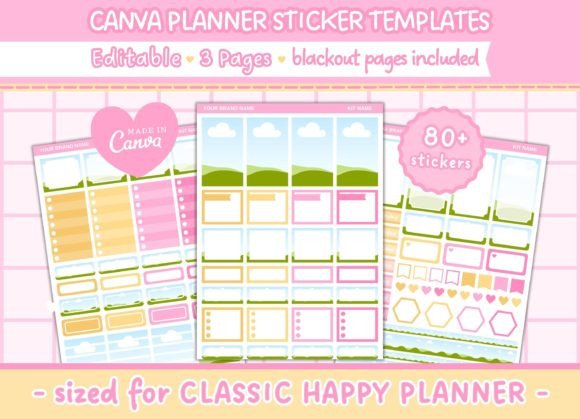
The core appeal lies in its foundation. Created entirely within Canva, each of the three pages is a blank slate waiting for your personal touch. The default style is clean and versatile, providing a solid base that can be easily morphed to suit any brand identity or personal taste. Whether you're aiming for a minimalist, professional look or a vibrant, artistic feel, the template adapts. The personality of the final product is dictated not by a fixed design, but by your choices in color, texture, and imagery. This makes it an incredibly powerful design asset for maintaining visual consistency across your planning and branding efforts.
Practical Design for Real-World Use
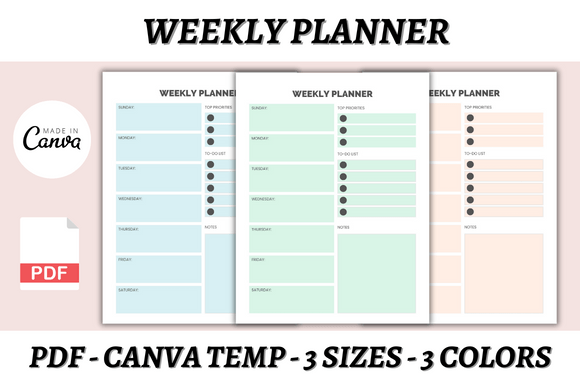
Beyond aesthetics, the Canva Editable Planner Sticker is built with practicality at its core. The dimensions are precise: each page measures 6.75 x 9.25 inches, a size specifically chosen for compatibility with the Classic Happy Planner. This attention to detail eliminates the guesswork and resizing headaches that often accompany DIY planner projects. The full-size boxes, measuring 1.5″ x 2.5″, provide ample space for jotting down appointments, to-do lists, or motivational quotes without feeling cramped.
For crafters and small business owners who use cutting machines like a Cricut or Silhouette, the inclusion of blackout pages is a game-changer. These dedicated pages allow for precise, automated cutting, turning a digital design into a physical product with professional-grade accuracy. This feature bridges the gap between digital planning and tangible crafting, making it an ideal tool for creating custom sticker sets for sale or personal use. The template essentially provides a premium font and layout system that is ready for production.
Unleashing Your Brand's Visual Language
The true power of this editable template is realized when it’s integrated into a broader creative or business workflow. For entrepreneurs and marketers, these stickers become more than just planning tools; they transform into miniature pieces of brand identity. Imagine using your brand's exact color palette, incorporating your logo design elements, or even featuring product photography directly on your planner stickers. This creates a cohesive visual experience that reinforces brand recognition every time you open your planner.
Content creators and bloggers can leverage the templates to plan editorial calendars with visual flair, using icons and textures that match their online aesthetic. The ability to add backgrounds and textures means you can create stickers that mimic watercolor paper, linen, or any other material, adding a tactile quality to your digital plans. This level of customization ensures your planning system feels uniquely yours, boosting engagement with your own organizational process.
Integrating with Modern Design Workflows
This template is a perfect example of modern typography and design thinking applied to everyday tools. It acknowledges that consistency is key in brand identity. By using the same template for internal planning as you do for client-facing social media graphics or packaging design mockups, you create a seamless professional image. The editable nature means it can evolve with your brand, adapting to seasonal campaigns or new visual directions without starting from scratch.
Consider its application in editorial design for a small publisher or magazine. The sticker templates could be used to mock up layout plans, with each box representing an article or image placement. Using a consistent, custom-designed set of stickers streamlines the planning phase and communicates a clear vision to collaborators. It’s a practical application of design assets that enhances both personal productivity and professional communication.
Making It Work: Practical Guidance
Getting the most out of the Canva Editable Planner Sticker involves a few key considerations. First, think about the end use. If the stickers are for personal use, feel free to experiment with wild colors and script fonts. If they are part of a commercial product line, ensure the final design aligns with your target audience's expectations—perhaps a more neutral palette with a clean sans serif font for a professional clientele, or a playful handwritten font for a hobbyist market.
Testing is crucial. Before finalizing your design, print a test page on the paper you intend to use. Colors can look different on screen versus paper, and this allows you to check readability, especially if you've chosen a complex background texture. The template's structure is designed for clarity, but your additions should enhance, not hinder, its function. Finally, if you plan to sell the finished stickers, double-check the licensing terms within Canva for any commercial font or graphic elements you incorporate, ensuring you have the right to distribute them.
The Canva Editable Planner Sticker template is more than a download; it's a starting point for creating a planning system that is as functional as it is beautiful, and as personal as it is professional. It puts the tools of a graphic designer into the hands of anyone willing to explore them, democratizing the creation of custom design assets for the modern creative professional.