Master Epoxy Pen Wrap Designs with This Canva Mockup
The world of custom merchandise has evolved far beyond simple screen printing and basic sublimation. Today, the allure of three-dimensional, glass-like finishes has captured the attention of customers everywhere. Epoxy products, particularly custom pen wraps, offer a tactile and visual experience that standard vinyl simply cannot match. However, for many designers and small business owners, the leap from concept to a professional product listing can be daunting. You might have the artistic skill to create a beautiful wrap pattern, but lacking a physical inventory to photograph means your online shop looks empty or unprofessional. This is where the efficiency of a digital tool becomes your greatest asset.
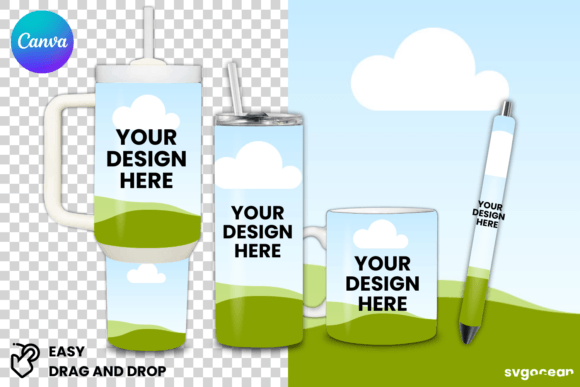
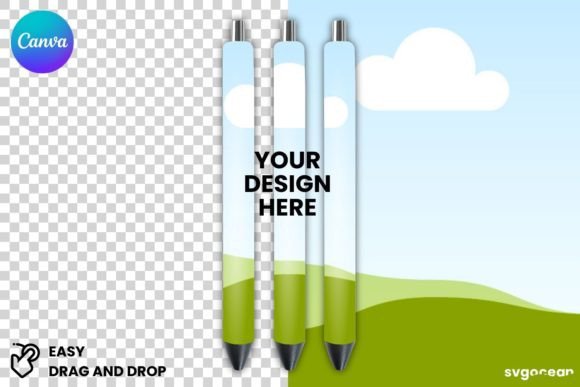
Enter the Epoxy Pen Wrap Canva Mockup. This specific type of template is designed to bridge the gap between your digital artwork and the tangible product. Unlike static image files that require advanced software like Adobe Photoshop, a Canva-based mockup utilizes a smart object approach within a user-friendly interface. It allows you to visualize exactly how your seamless patterns, hand-lettering, or illustrations will look once they are printed, cut, and wrapped around a barrel, then coated in shiny, clear resin.
The visual characteristics of a high-quality mockup are distinct. It should not look like a flat image pasted onto a cylinder. Instead, it needs to simulate the unique physics of epoxy. The Epoxy Pen Wrap Canva Mockup template usually features realistic highlights, refractions, and shadows that mimic that "dome" effect resin creates. The personality of such a design asset is professional and polished; it signals to a potential buyer that you are selling a premium item. The style is often clean, allowing the pattern to shine, but the overall appeal lies in the realism. When a customer sees the light glinting off a virtual pen on their screen, they can mentally project the quality of that item onto their desk.
Strategic Applications for Digital Entrepreneurs
Understanding where and how to use the Epoxy Pen Wrap Canva Mockup is crucial for maximizing your return on investment. This tool is not just for Etsy sellers, though they are a primary demographic. The utility extends across various creative and commercial sectors, making it a versatile piece of your design assets collection.
For digital goods creators, the mockup serves as the primary selling vehicle. Since you cannot ship a physical item to show the customer what they are buying, your digital representation must be flawless. In the realm of social media graphics, these mockups are indispensable. Platforms like Instagram and Pinterest are highly visual; a flat JPEG of a pattern rarely stops the scroll. However, a 3D rendering of a pen with that same pattern, looking shiny and ready to use, grabs attention. You can create dynamic Reels or TikTok videos by simply animating the rotation of the mockup, giving the illusion of a live product video without ever picking up a camera.
Furthermore, this tool aids in brand identity development. If you are a stationery brand, your marketing materials need to look consistent. Using a mockup ensures that every time you display a pen, the angle, lighting, and perspective are identical. This consistency builds trust. It is also highly effective for packaging design concepts. While the wrap is the focus, seeing it on a pen helps you visualize how it fits into a larger gift set or subscription box. For bloggers and publishers writing about crafting or DIY trends, these images serve as high-quality editorial content that elevates the article's perceived value.
Influence on Brand Perception and Hierarchy
Visual hierarchy is a fundamental principle of modern typography and design, and it applies to product photography just as much as it does to font pairing. When a customer lands on your product page, their eye needs to know where to look first. The Epoxy Pen Wrap Canva Mockup allows you to control this hierarchy. By placing your most complex or colorful design on the most prominent pen in the foreground, and perhaps a solid color or simpler pattern on a pen in the background, you guide the viewer’s attention.
This influences brand perception significantly. In the digital marketplace, amateur visuals suggest amateur products. If your mockup has jagged edges or poor lighting simulation, a customer subconsciously questions the quality of your resin work. Conversely, a premium display font paired with a high-resolution mockup suggests a premium font and product experience. It tells the customer that you care about details, which implies the physical product will also be crafted with care.
Moreover, using a consistent mockup style across your catalog aids in recognition. Whether you are selling on Shopify, Amazon Handmade, or social media, maintaining a cohesive look helps customers identify your brand instantly in a crowded feed. It creates a professional sheen that separates hobbyist listings from established businesses.
Practical Guide to Customization and Workflow
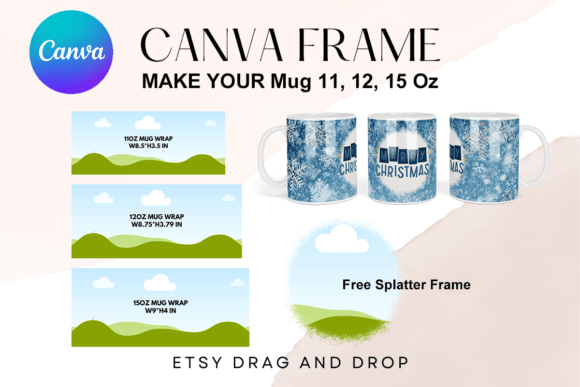
The true power of the Epoxy Pen Wrap Canva Mockup lies in the "drag and drop" functionality. For those who are not graphic designers by trade, the learning curve for professional software can be steep. Canva democratizes this process. Here is a practical workflow for integrating these assets into your business operations.
First, evaluate the typeface and text you plan to add to your designs. While the mockup is for the wrap, you will likely be adding text to your listing images—titles, sale announcements, or features. Ensure your chosen font is legible. A script font might look beautiful for the word "Handmade," but if it is too ornate, it fails as a web design element. Aim for a balance between a stylish serif font or sans serif font for the details, ensuring readability on mobile devices.
Second, focus on the testing phase. Before you commit to printing a bulk order of physical pens, use the mockup to test your patterns. Upload your seamless tile into the Canva template. Does the scale look right? Is the pattern too busy, making the text on the pen clip hard to read? This allows you to refine your creative font choices and pattern scales without wasting materials.
Third, consider commercial licensing. When you download a mockup, you are usually buying a license to use the image for marketing. However, always read the fine print. Most standard licenses allow for unlimited digital use (social media, websites) but may have restrictions on selling the mockup file itself to others. Since you are selling the physical pen or the digital wrap design, you are generally safe, but due diligence is part of professional entrepreneurship.
Finally, think about font pairing in your marketing. If your pen wrap is floral and vintage, pair your marketing text with a complementary handwritten font. If the wrap is geometric and modern, use a clean sans serif font. The mockup provides the visual anchor; the typography provides the voice. Together, they create a complete brand identity that resonates with your target audience, whether they are crafters, marketers, or corporate gift buyers.
By leveraging the Epoxy Pen Wrap Canva Mockup, you are not just displaying a product; you are curating an experience. You are showing your audience exactly what they can expect, styled in a way that feels aspirational yet attainable. In a competitive digital landscape, that clarity and professionalism are what drive conversions and build lasting customer relationships.